
Reclaim Storage Safely
Find & Clean Duplicate Files on Windows.
Without the Risk.
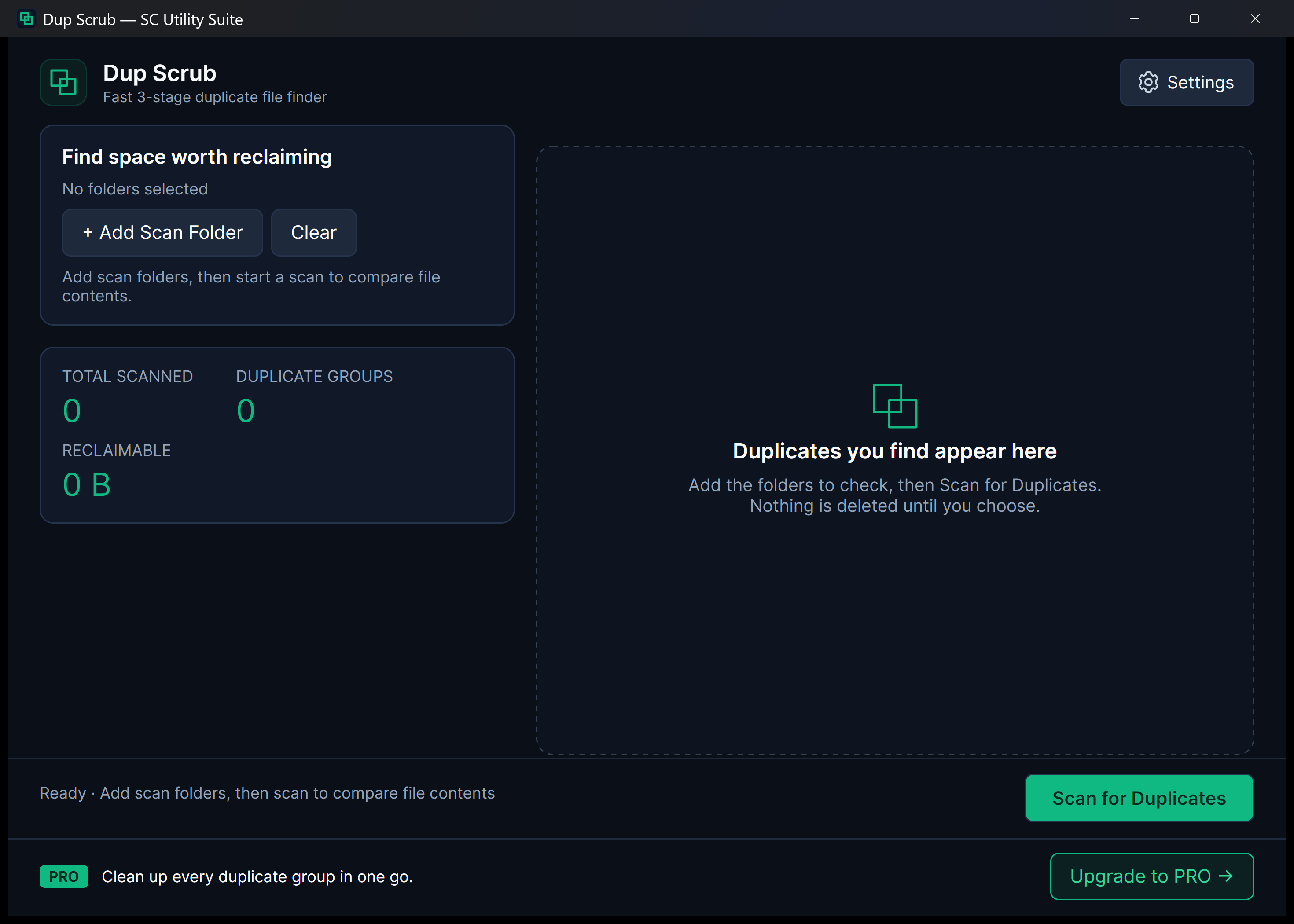
Duplicate downloads, repeated photo backups, and multiple copies of large videos silently consume gigabytes of valuable SSD storage. Dup Scrub uses a rigorous 3-stage hashing pipeline to locate identical files without false positives, sending deleted items safely to the Windows Recycle Bin.
winget install --id 9NL51TH9QR3M --source msstore
Runs on Windows 10 & 11 (x64), Linux (Snap Store, .deb, .tar.gz), and Android. No sign-up, no subscriptions, zero cloud telemetry.
Your files never leave your PC. No cloud uploads, no third-party tracking.
No startup daemons, no background services, no persistent system tray bloat.
Useful free edition with no expiry. Upgrade once for lifetime extras; no subscriptions.
Designed for Performance
Key Features & Capabilities
Built with native Windows 11 Fluent styling, high-efficiency local engines, and zero friction.
3-Stage Exact Match
Filters files by size first, then checks sample headers, and performs full cryptographic SHA-256 hashing to guarantee 100% identical duplicates.
Recycle Bin Protection
Files are never permanently vaporized without your consent; deleted items are safely moved to the Windows Recycle Bin for easy recovery.
Side-by-Side Review
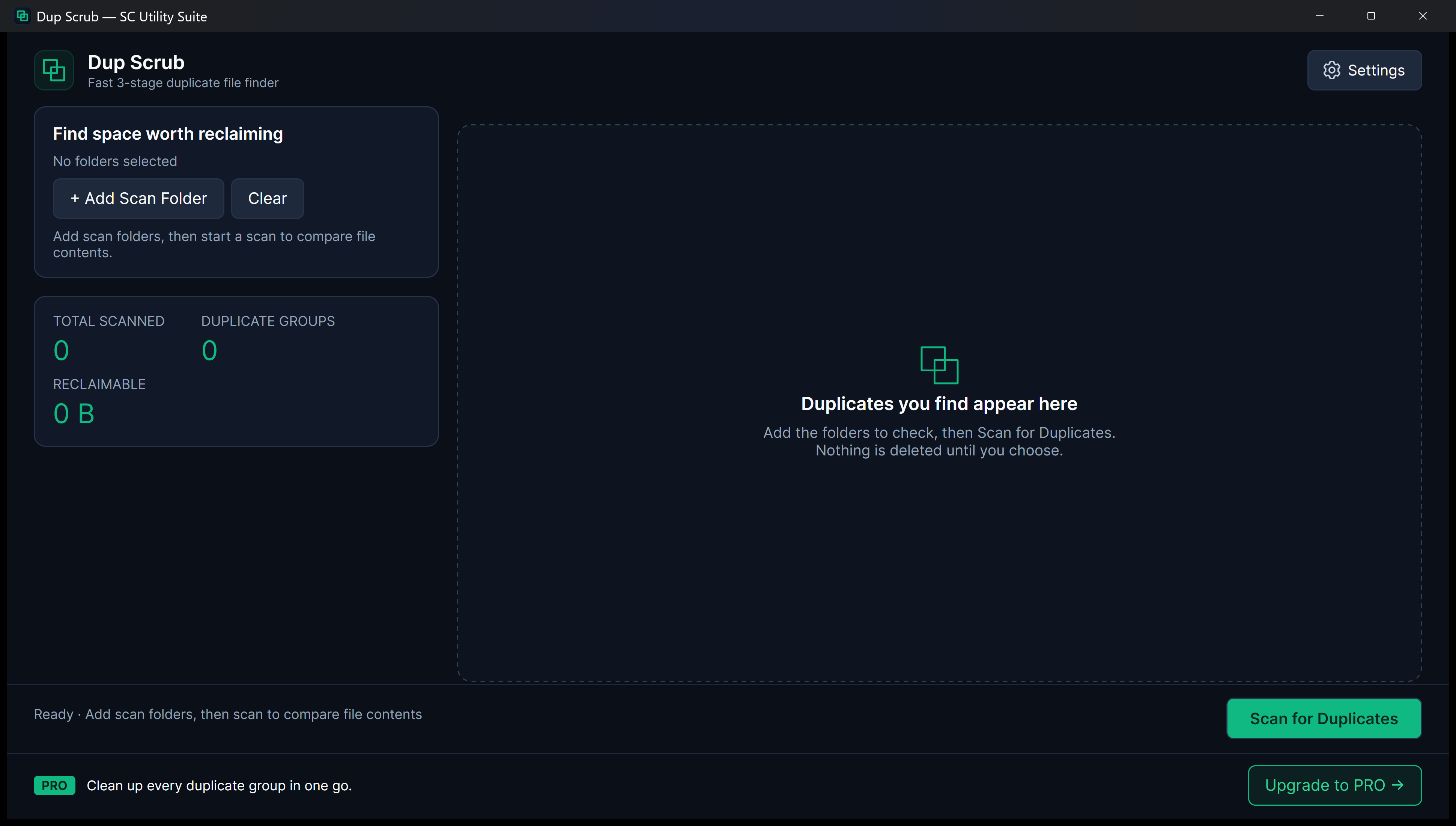
Examine duplicate groups with clear file paths, creation dates, and sizes before making any deletion decisions.
Fast Drive Scanning
Optimized directory traversal quickly scans entire drives, USB disks, or specific project folders.
3-Stage XxHash64 Pipeline
Exact Content Matching & Safe Cleanup
Group identical files by exact content hash and send unwanted copies safely to the Recycle Bin.
Quick Start Guide
How to Use Dup Scrub
Three straightforward steps from file selection to completed task.
Select Folder or Drive
Pick the target folder, user directory, or external drive you want to scan for redundant files.
Review Matching Groups
Inspect duplicate file groups side by side. Dup Scrub clearly organizes duplicates so you always keep the original.
Recycle Duplicates
Clean unwanted copies with a single click, immediately freeing up disk space.
SEE IT IN ACTION
Watch Dup Scrub in Action
Instant high-framerate demos, vertical 60-second Short, and full YouTube walkthrough.
Transparent & Fair Pricing
Free vs. Lifetime PRO
Available free on Microsoft Store, Snap Store, direct installer/portable ZIP, and Linux .deb/.tar.gz. Upgrade anytime with a one-time PRO licence.
FREE FOREVER
Standard Edition
$0 no expiration
Full drive scanning, 3-stage SHA-256 duplicate detection, manual group selection, and safe recycling.
- 100% offline file processing
- No recurring subscription
- Clean Windows 11 Fluent interface
- No watermarks or cloud lock-in
OPTIONAL LIFETIME UPGRADE
PRO Edition
$3.99 one-time payment
One-click automated selection across all duplicate groups, bulk cleaning, and upgrade banner removal.
- One-click auto-select oldest/newest
- Batch delete across hundreds of groups
- Remove upgrade banner
- Lifetime license
Answers
Frequently Asked Questions
How does Dup Scrub know two files are exact duplicates?
Dup Scrub uses a multi-stage verification process: first matching exact file sizes in bytes, then sampling headers, and finally comparing full SHA-256 cryptographic hashes. Two files must be 100% byte-for-byte identical to be flagged as duplicates.
Is it safe? What if I delete the wrong file?
Dup Scrub moves files directly to the standard Windows Recycle Bin rather than deleting them permanently. If you ever change your mind, you can open your Recycle Bin and restore them instantly.
Can it find duplicate photos with different filenames?
Yes. Because Dup Scrub inspects actual file content rather than just filenames, identical photos downloaded under different names will be accurately matched.
Part of the SC Utility Suite
Looking for other native Windows desktop tools? Explore the other 6 privacy-first utilities in our family:
 HEIC Studio
 Media Trim
 Screen Lens
 PDF Knife
 Archive Unpacker
 USB Flasher
COMPLETE TOOLBOX