
Private Document Manipulation
Split, Merge & Burst PDFs Locally.
Confidential Files Stay Confidential.
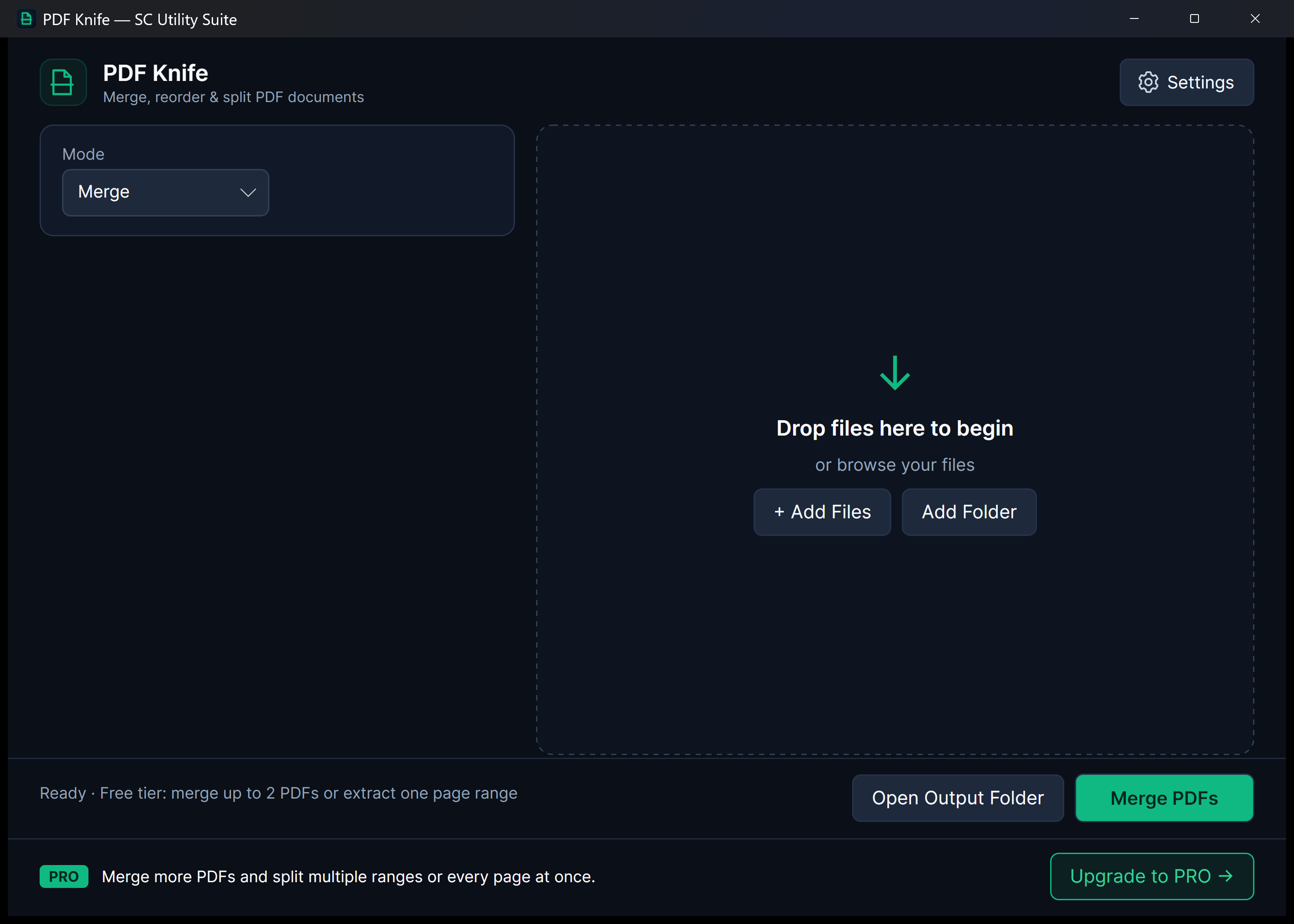
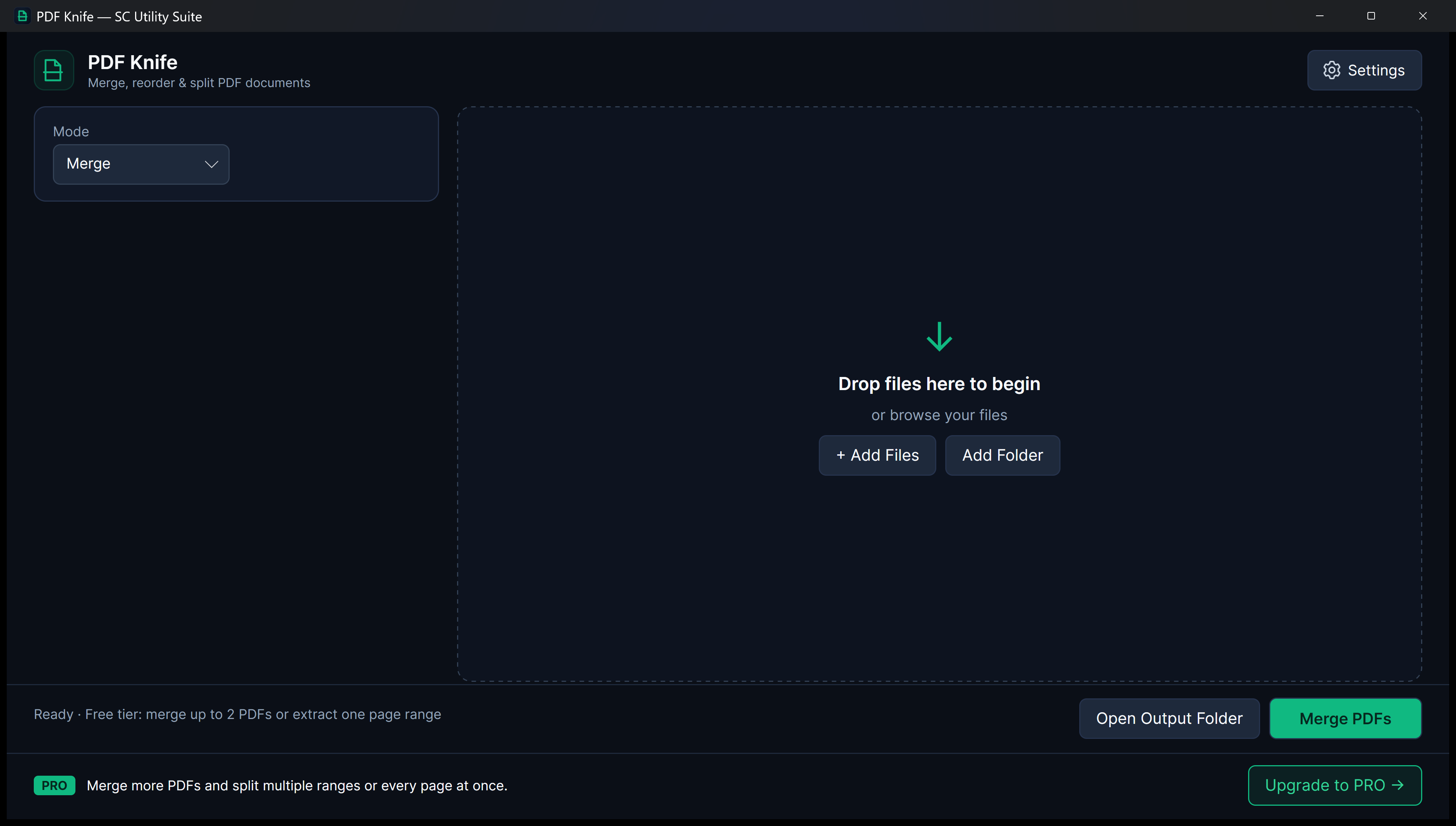
Uploading tax returns, legal contracts, medical forms, or proprietary financial records to web-based PDF splitters exposes confidential data to unknown third parties. PDF Knife executes all PDF manipulations 100% locally on your computer with zero file size limits and zero cloud exposure.
winget install --id 9NQLSS021G6T --source msstore
Runs on Windows 10 & 11 (x64), Linux (Snap Store, .deb, .tar.gz), and Android. No sign-up, no subscriptions, zero cloud telemetry.
Your files never leave your PC. No cloud uploads, no third-party tracking.
No startup daemons, no background services, no persistent system tray bloat.
Useful free edition with no expiry. Upgrade once for lifetime extras; no subscriptions.
Designed for Performance
Key Features & Capabilities
Built with native Windows 11 Fluent styling, high-efficiency local engines, and zero friction.
Confidential & Offline
Documents never touch an internet server. Ideal for legal, medical, and financial professionals who require total compliance.
Merge & Combine
Join separate PDF documents into a single, cohesive file in any custom order with drag-and-drop ease.
Precision Page Extraction
Extract specific page ranges (e.g. pages 1-3, 5, 8-12) or split large files into targeted deliverables.
Burst Whole Documents
Split large document packets into individual one-page PDF files with a single action.
Document Manipulation Modes
Merge, Extract Ranges, or Burst Every Page
Select an operation to preview how PDF Knife reorganizes confidential documents 100% locally.
p.1-4
p.1-2
6 pages
Drag to reorder files and combine into a single clean PDF with zero watermarks.
Isolate exact page ranges for contracts, invoices, or tax filings.
One-click PRO burst splits an entire packet into individual one-page PDFs.
Quick Start Guide
How to Use PDF Knife
Three straightforward steps from file selection to completed task.
Add Your PDFs
Drop your PDF files into PDF Knife to view total page counts and document structures.
Choose Your Operation
Select Merge to combine multiple files, Split to extract a page range, or Burst to separate every single page.
Save New Document
Click Export to save the rearranged, merged, or extracted PDF files immediately to your drive.
SEE IT IN ACTION
Watch PDF Knife in Action
Instant high-framerate demos, vertical 60-second Short, and full YouTube walkthrough.
Transparent & Fair Pricing
Free vs. Lifetime PRO
Available free on Microsoft Store, Snap Store, direct installer/portable ZIP, and Linux .deb/.tar.gz. Upgrade anytime with a one-time PRO licence.
FREE FOREVER
Standard Edition
$0 no expiration
Merge up to two PDFs, single page range extraction, visual document inspection, and 100% offline security.
- 100% offline file processing
- No recurring subscription
- Clean Windows 11 Fluent interface
- No watermarks or cloud lock-in
OPTIONAL LIFETIME UPGRADE
PRO Edition
$3.99 one-time payment
Merge unlimited PDFs, multi-range extraction, bursting entire documents into individual pages, and banner removal.
- Merge unlimited PDF documents
- Extract complex multi-ranges
- One-click burst document mode
- Lifetime license
Answers
Frequently Asked Questions
Is it safe to use PDF Knife for confidential legal or financial records?
Yes. PDF Knife runs entirely on your local machine and makes zero network calls during file operations. Your sensitive files are never uploaded, stored, or inspected by any third party.
Is there a file size limit?
No. Because PDF Knife processes files locally, there are no artificial file size caps, page limits, or hourly conversion throttles.
Can I reorder pages before merging?
Yes. Drag and drop PDF files in your list to arrange them into the exact sequence you want before generating the combined document.
Part of the SC Utility Suite
Looking for other native Windows desktop tools? Explore the other 6 privacy-first utilities in our family:
 HEIC Studio
 Dup Scrub
 Media Trim
 Screen Lens
 Archive Unpacker
 USB Flasher
COMPLETE TOOLBOX