
Apple Photos on Windows Made Easy
Convert iPhone HEIC Photos to JPG on Windows.
100% Offline.
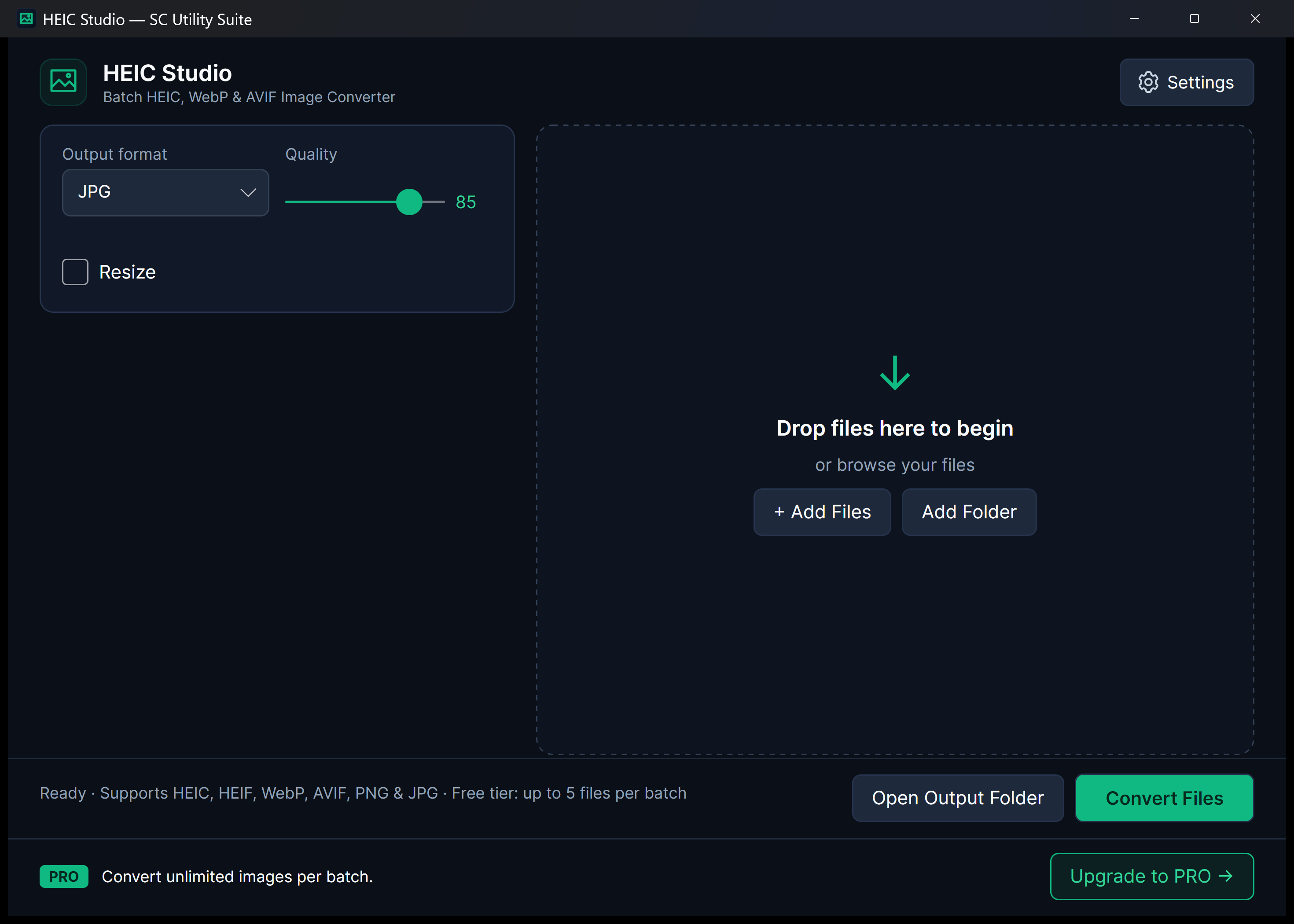
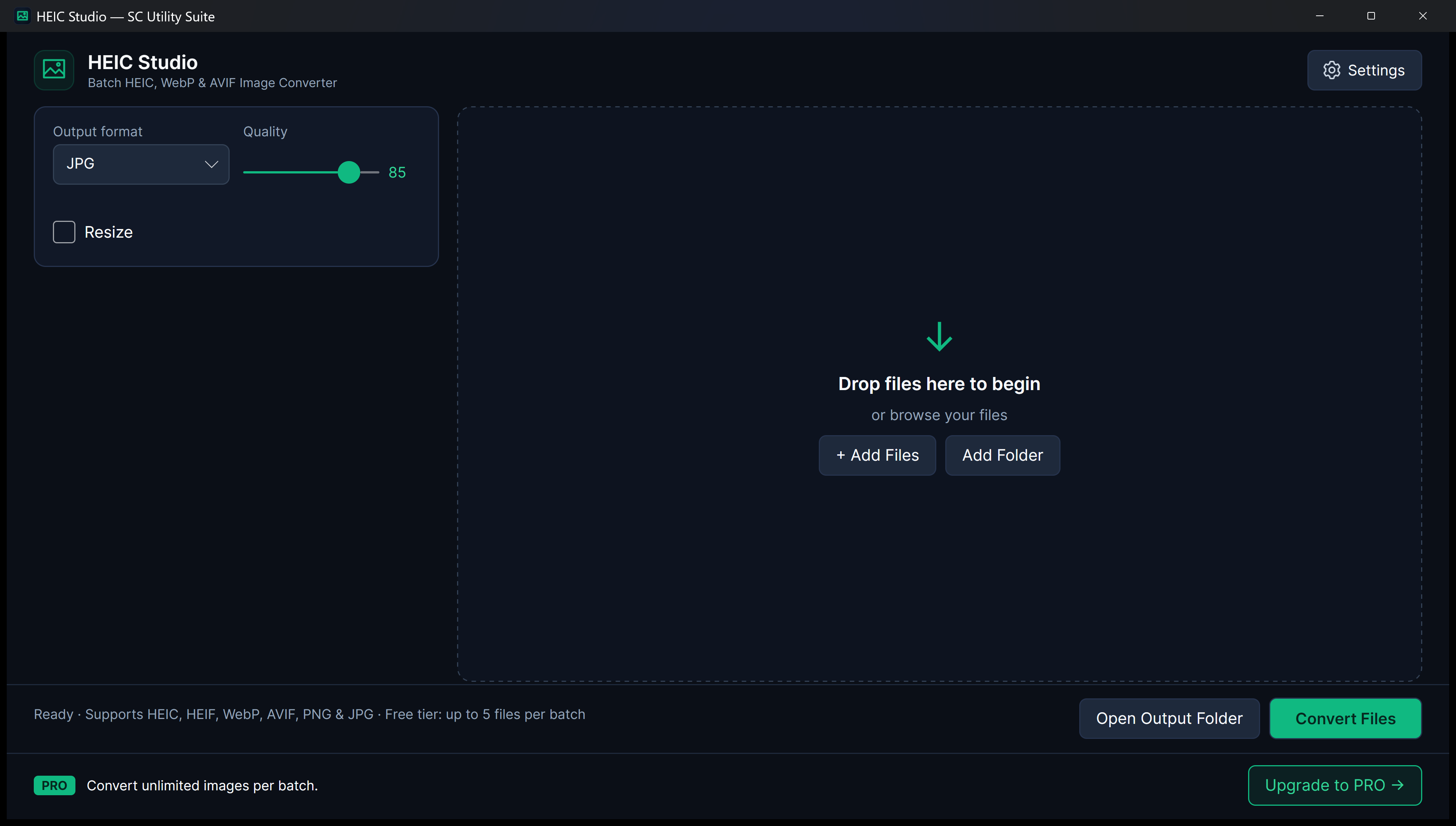
Transferring photos from an iPhone or iPad to a Windows PC often leaves you with unopenable .HEIC files. Online converters demand that you upload your private personal photos to remote servers. HEIC Studio converts high-efficiency Apple photos directly on your PC with zero cloud dependency.
winget install --id 9N4F9K6G90HK --source msstore
Runs on Windows 10 & 11 (x64), Linux (Snap Store, .deb, .tar.gz), and Android. No sign-up, no subscriptions, zero cloud telemetry.
Your files never leave your PC. No cloud uploads, no third-party tracking.
No startup daemons, no background services, no persistent system tray bloat.
Useful free edition with no expiry. Upgrade once for lifetime extras; no subscriptions.
Designed for Performance
Key Features & Capabilities
Built with native Windows 11 Fluent styling, high-efficiency local engines, and zero friction.
Multi-Format Conversion
Convert Apple HEIC (.heic, .heif), WebP, and AVIF photos into universal JPG or lossless PNG.
100% Local Processing
Your photos never leave your device. All decoding and color conversions run locally on your processor.
Quality & Metadata Control
Preserve high visual fidelity with adjustable compression sliders and clean color space handling.
Drag-and-Drop Workflow
Drop entire folders or selected image files directly into the window for instant queueing.
Before & After Conversion
HEIC to Upright JPG, PNG, WebP or PDF
Drag the comparison handle to see how local conversion fixes orientation and strips private EXIF GPS data.
Quick Start Guide
How to Use HEIC Studio
Three straightforward steps from file selection to completed task.
Drop Your Photos
Drag and drop your .heic, .webp, or .avif images into HEIC Studio.
Select Output Format
Choose JPG for universal compatibility or PNG for lossless transparency. Adjust quality if desired.
Convert Instantly
Click Convert. Your new photos are generated in seconds in your chosen destination folder.
SEE IT IN ACTION
Watch HEIC Studio in Action
Instant high-framerate demos, vertical 60-second Short, and full YouTube walkthrough.
Transparent & Fair Pricing
Free vs. Lifetime PRO
Available free on Microsoft Store, Snap Store, direct installer/portable ZIP, and Linux .deb/.tar.gz. Upgrade anytime with a one-time PRO licence.
FREE FOREVER
Standard Edition
$0 no expiration
Free conversion for everyday photo batches, complete format support (HEIC, WebP, AVIF), and customizable output folders.
- 100% offline file processing
- No recurring subscription
- Clean Windows 11 Fluent interface
- No watermarks or cloud lock-in
OPTIONAL LIFETIME UPGRADE
PRO Edition
$3.99 one-time payment
Unlimited photos per batch, high-throughput bulk processing, and permanent removal of the upgrade banner.
- Convert 100+ photos in a single batch
- One-click bulk conversion
- Remove upgrade banner
- No monthly subscription
Answers
Frequently Asked Questions
Why can't Windows open my iPhone photos by default?
Apple devices save photos in High Efficiency Image Container (.HEIC) format to save storage. Windows requires specialized extensions or an offline converter like HEIC Studio to convert them into universal JPG or PNG files.
Are my personal photos uploaded anywhere?
Never. HEIC Studio is 100% offline. All conversions run locally on your PC, ensuring complete privacy for family photos, sensitive documents, and personal albums.
What formats can HEIC Studio convert to?
You can convert HEIC, HEIF, WebP, and AVIF files into standard JPG or PNG images.
Part of the SC Utility Suite
Looking for other native Windows desktop tools? Explore the other 6 privacy-first utilities in our family:
 Dup Scrub
 Media Trim
 Screen Lens
 PDF Knife
 Archive Unpacker
 USB Flasher
COMPLETE TOOLBOX