A little less friction. A lot more done.

Powerful offline tools.
Without the hassle.

Seven practical utilities for your files, photos, media and more. Fast, private and free to get started.

Free forever. Upgrade only when you need more.

  • Free to use
  • No subscriptions
  • Optional $3.99 lifetime Pro per app

For Windows 10 & 11, Linux (Snap, .deb, .tar.gz) & Android. Pro prices in USD; checkout shows local pricing and taxes.

Archive Unpacker Files & folders

Open compressed files without the fuss.

Extract ZIP, RAR, 7Z and TAR in a few clicks. Inspect before unpacking.

Explore Archive Unpacker

Your files stay with you.Photos, documents and media are processed on your PC.

Useful from the first download.Permanent free editions. No trial countdown.

One payment, when it suits you.Optional lifetime Pro upgrades. No recurring fees.

7
Focused Desktop & Mobile Apps
3
OS Platforms (Win, Linux, Android)
21
Video Demos, Shorts & Guides
0
Files Uploaded to Any Cloud

YOUR EVERYDAY TOOLBOX

Small tools. Jobs well done.

Pick the one you need.
Each app works on its own.

Files & Archives

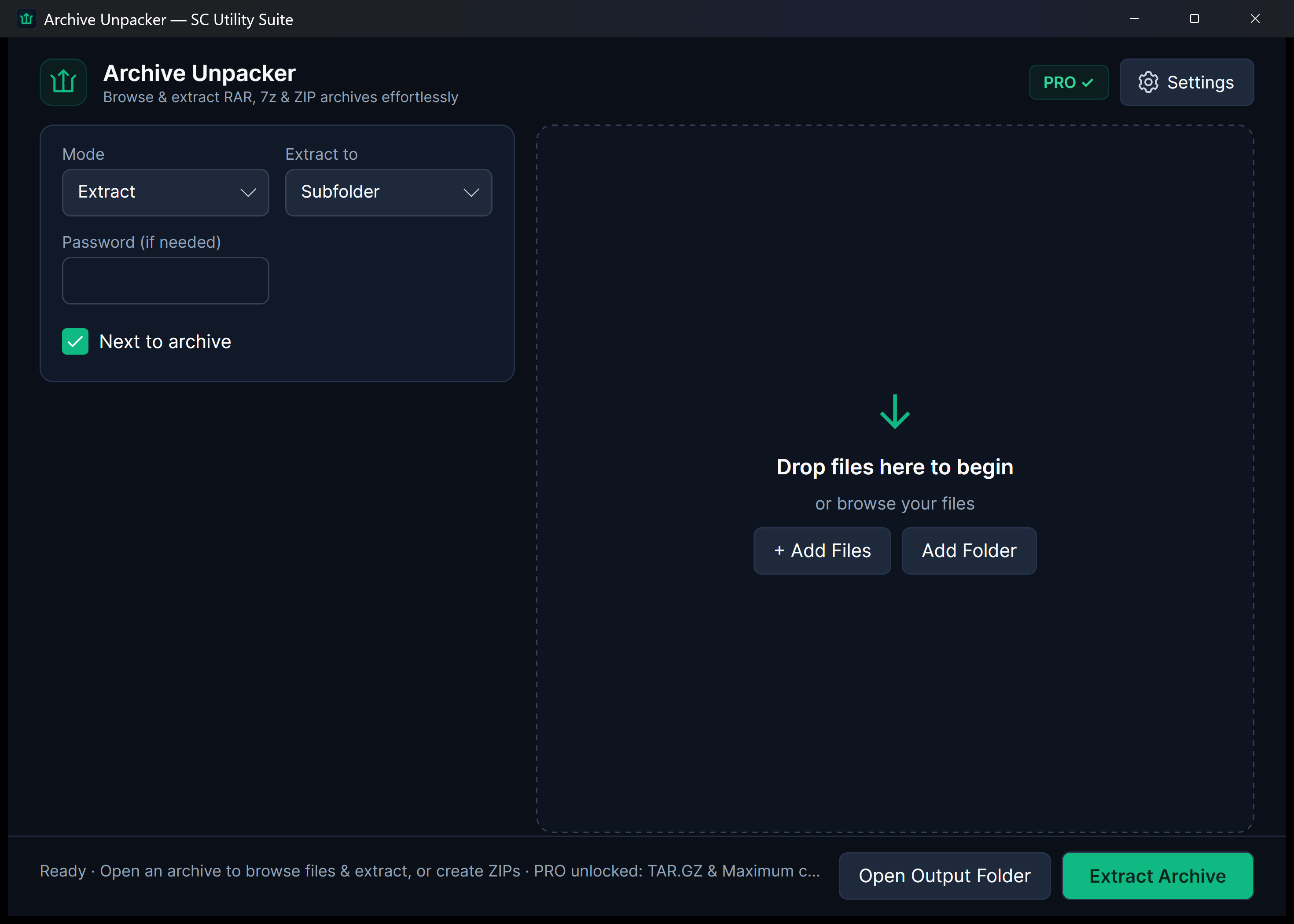
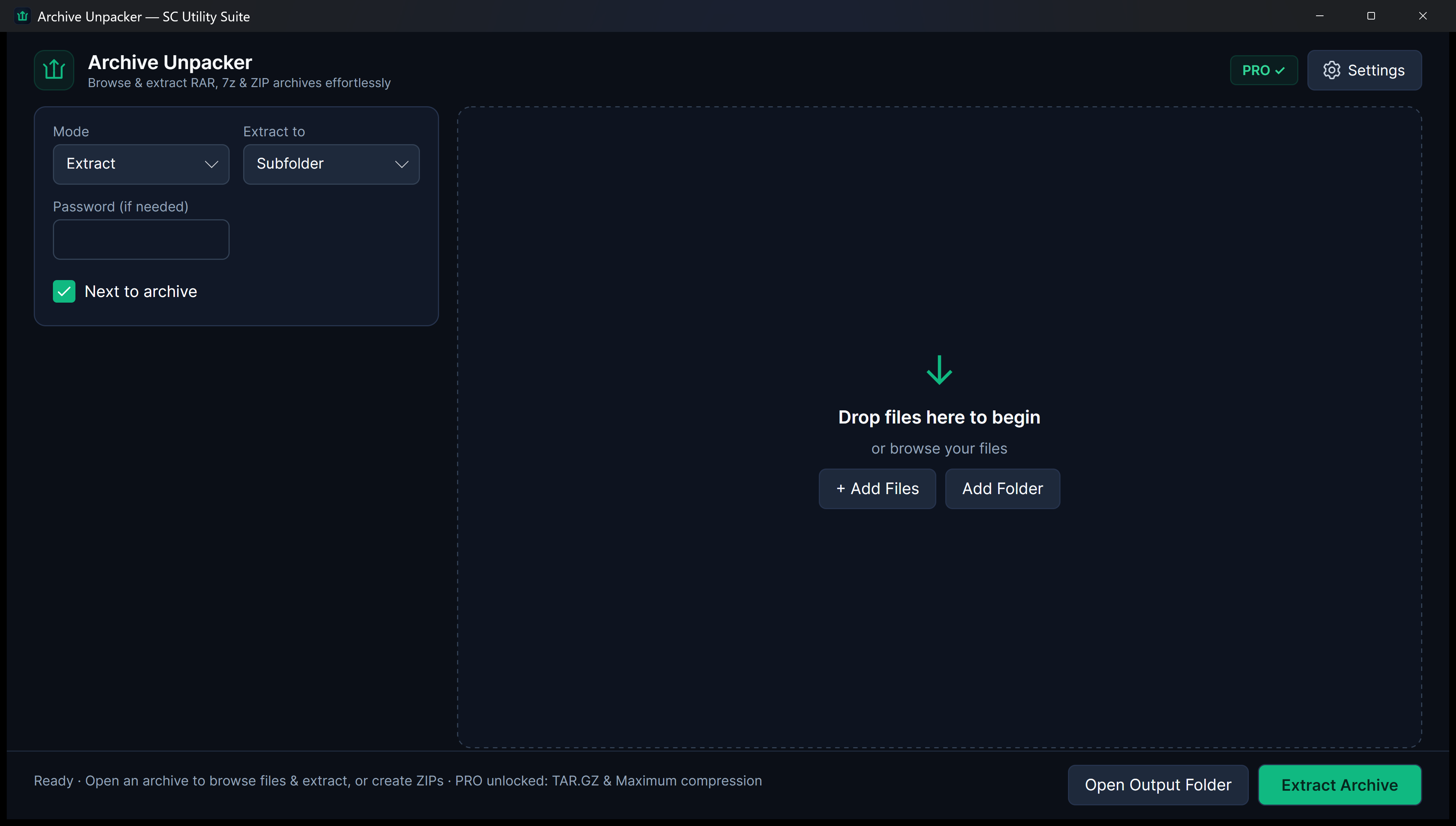
Archive Unpacker

Open compressed files without the fuss. Extract ZIP, RAR (RAR4 & RAR5), 7z, TAR, GZ and BZ2 in clicks. Inspect contents safely with path-traversal protection and native Explorer menus.

ZIP · RAR · 7Z · TARPath-Traversal GuardExplorer Context Menu
Free ForeverExtract one archive at a time and create standard ZIPs.
One-Time PROBatch extraction, TAR.GZ creation, and Maximum compression.
Live 1.1.2 App Preview Archive Unpacker interface on desktop

Storage & Cleanup

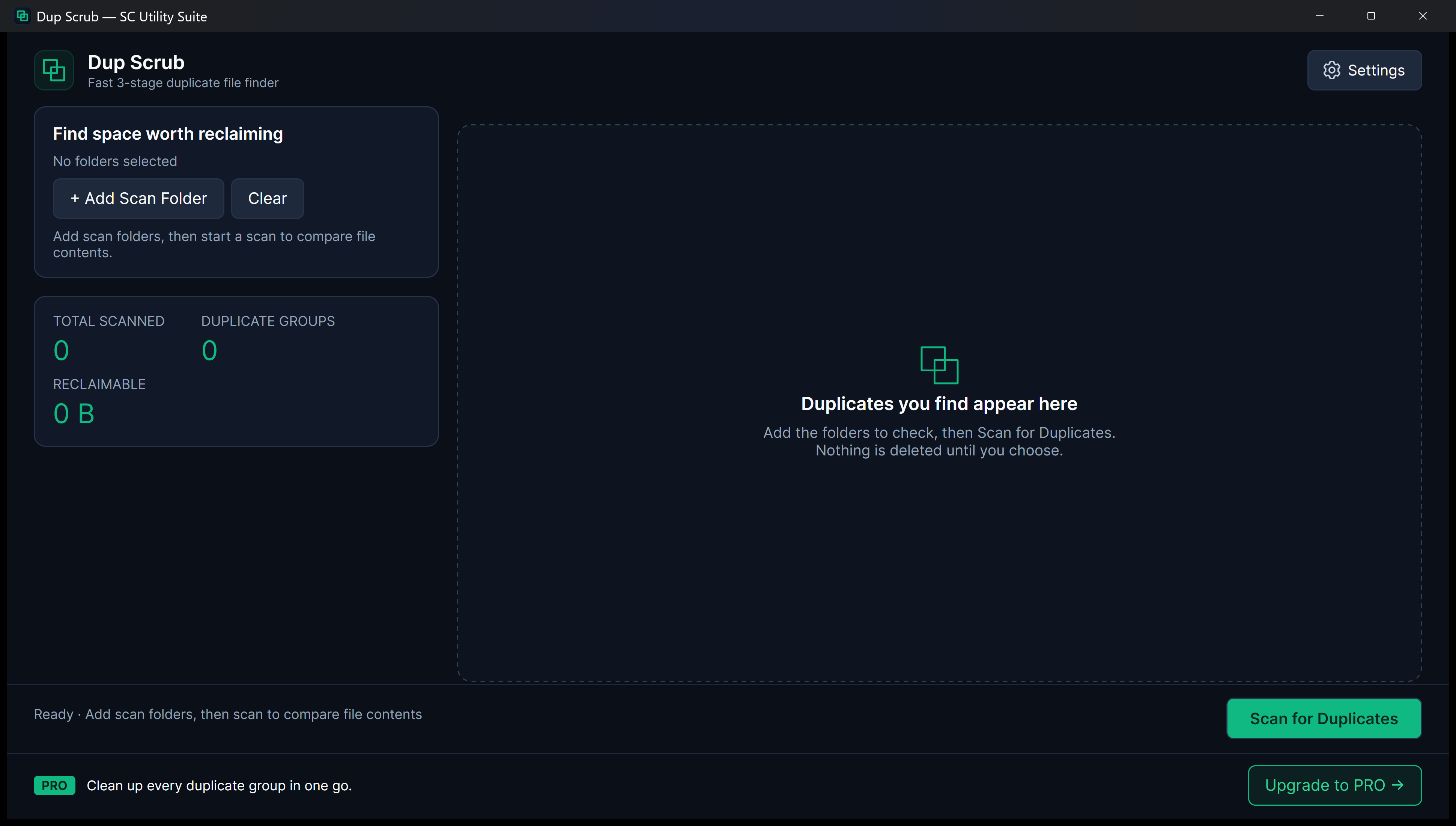
Dup Scrub

Make room for the files you want. 3-stage XxHash64 content scanning finds exact duplicate photos, videos and files across folders and moves unwanted copies safely to the Recycle Bin.

3-Stage XxHash64Recycle Bin SafetyKeep Oldest / Newest
Free ForeverFull folder scan and clean one duplicate group per run.
One-Time PROAuto-select copies and clean every duplicate group in one pass.
Live 1.1.2 App Preview Dup Scrub interface on desktop

Photos & Imaging

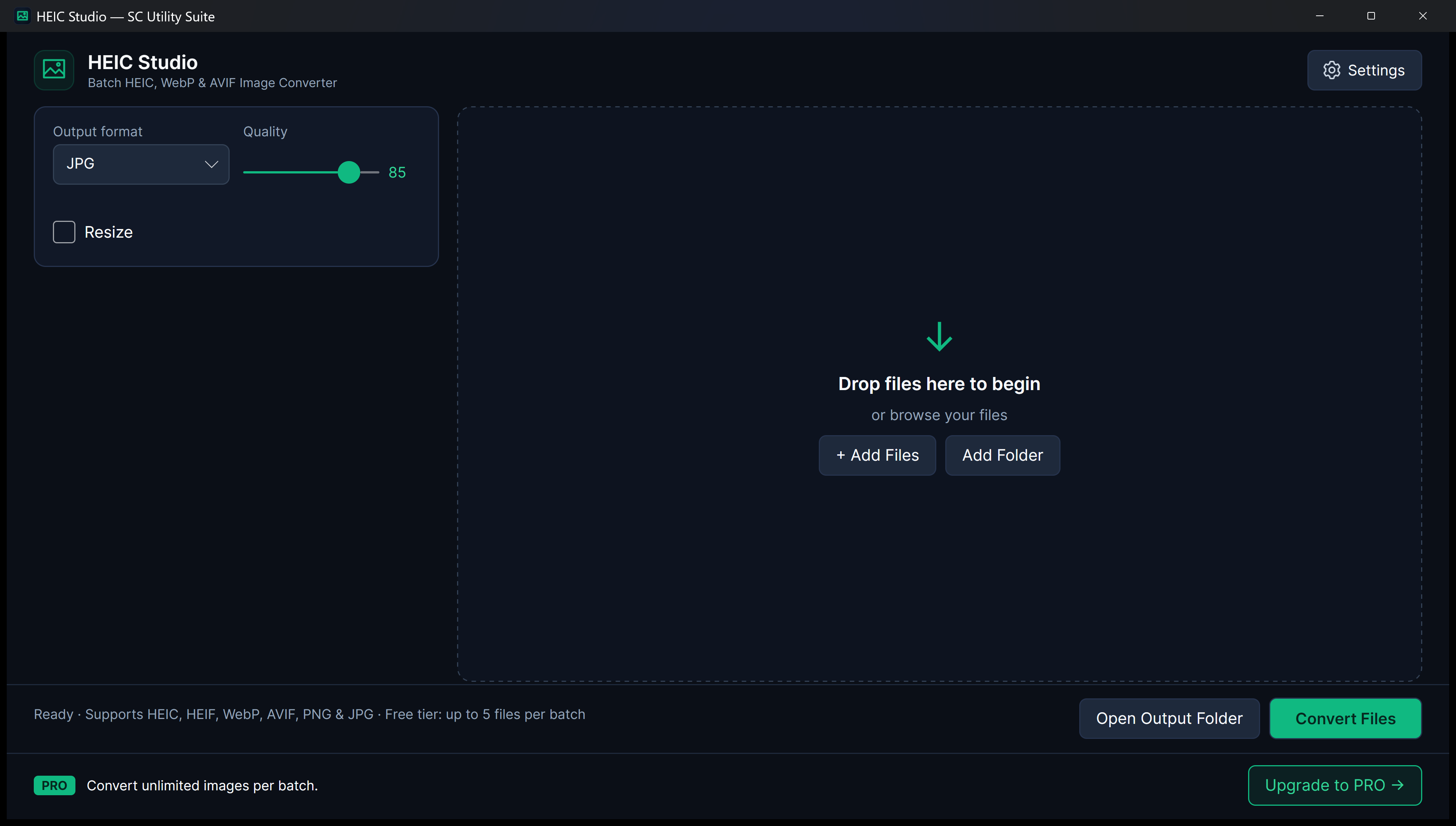
HEIC Studio

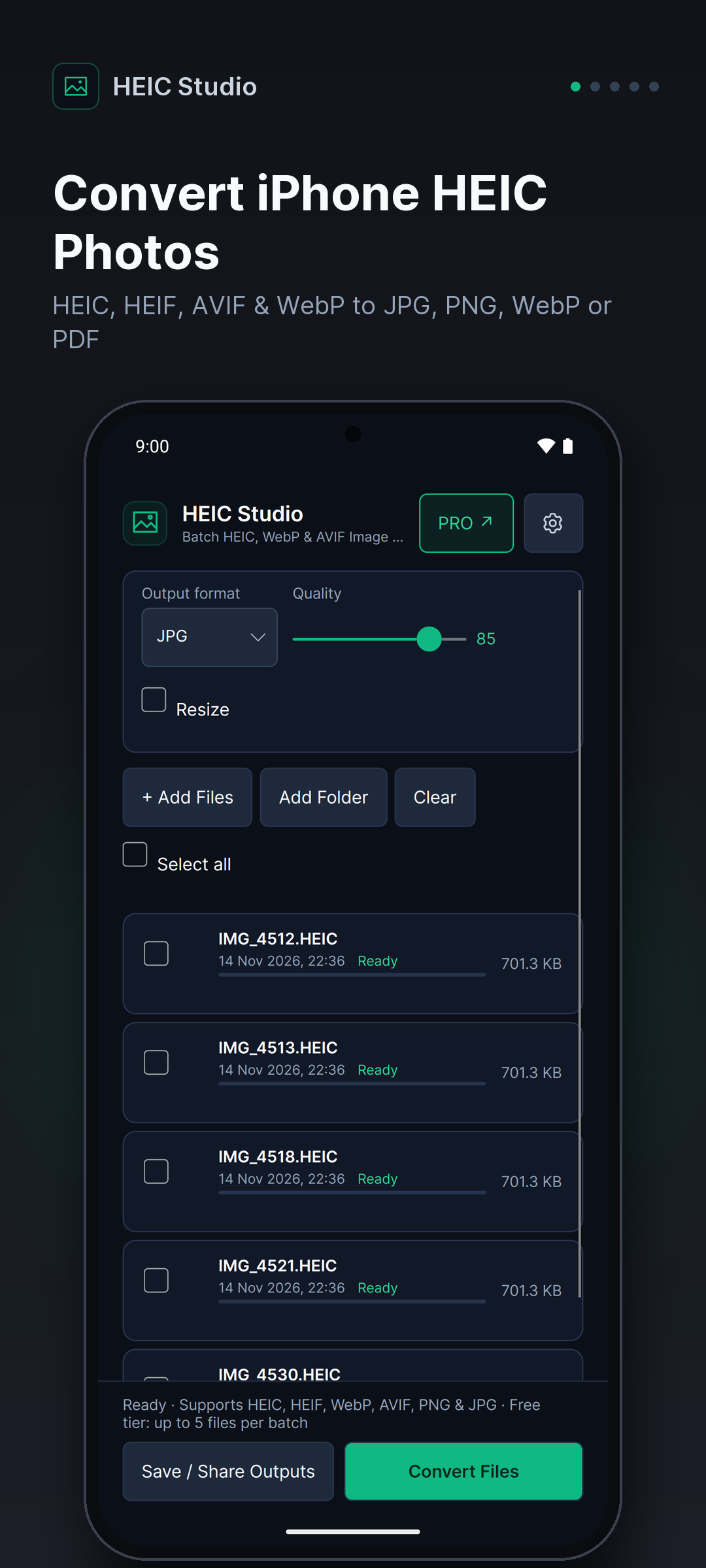
Your iPhone photos. In formats that work. Convert Apple HEIC, HEIF, AVIF and WebP images to JPG, PNG, WebP or PDF privately on your device with upright orientation and GPS removal.

HEIC · AVIF · WebPAuto-Upright & GPS StripJPG · PNG · PDF
Free ForeverConvert up to 5 photos per batch with quality and resize controls.
One-Time PROUnlimited batch conversion across whole photo folders.
Live 1.1.2 App Preview HEIC Studio interface on desktop

Video & Audio

Media Trim

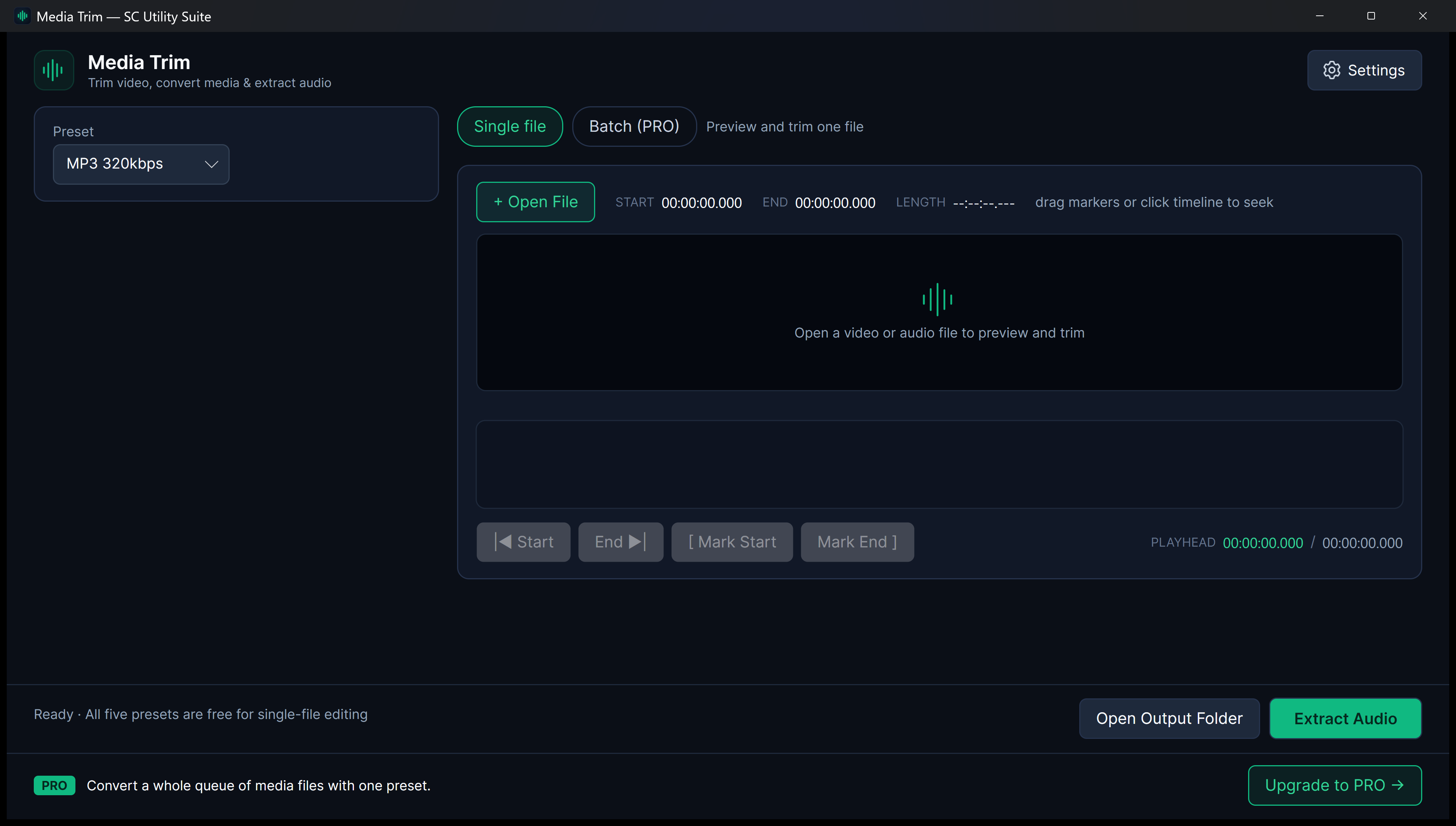
Keep the part you need. Leave the rest. Visual waveform timeline trimming, lossless stream-copy cuts, MP3/WAV audio extraction and 720p compression powered by a local bundled FFmpeg engine.

Visual WaveformLossless Stream CutMP3 320k · WAV · 720p
Free ForeverSingle-file editing with all 5 presets and no duration cap.
One-Time PROBatch queue mode to convert multiple files with one preset.
Live 1.1.2 App Preview Media Trim interface on desktop

Documents

PDF Knife

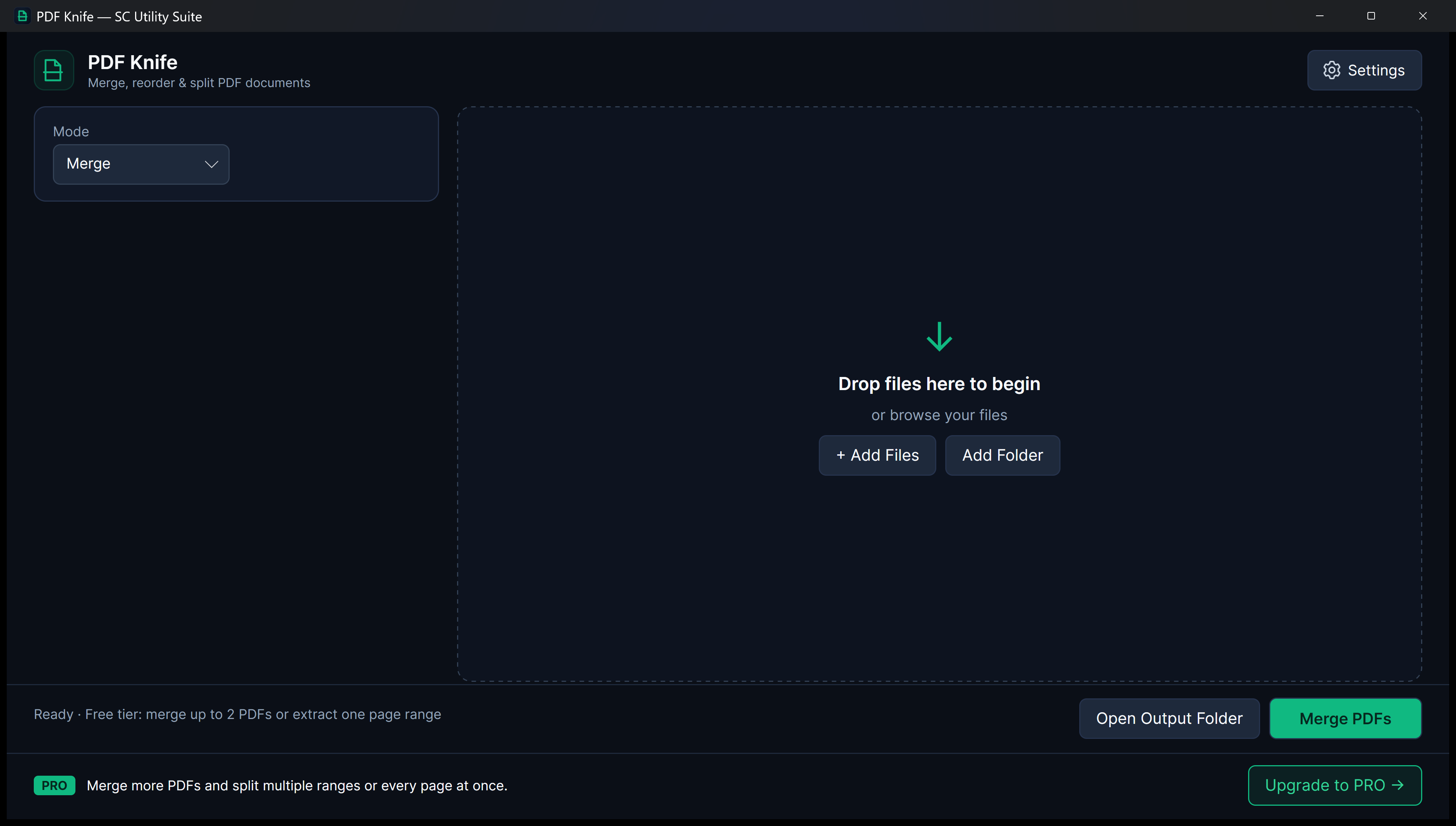
Bring your PDFs into order. Merge PDFs in any order, extract exact page ranges or burst every page into individual files with zero watermarks and zero cloud uploads.

Drag-Reorder MergeRange Extraction1-Click Burst Split
Free ForeverMerge 2 PDFs or extract a single page range.
One-Time PROUnlimited document merges, multi-range extract and burst split.
Live 1.1.2 App Preview PDF Knife interface on desktop

Screen Recording

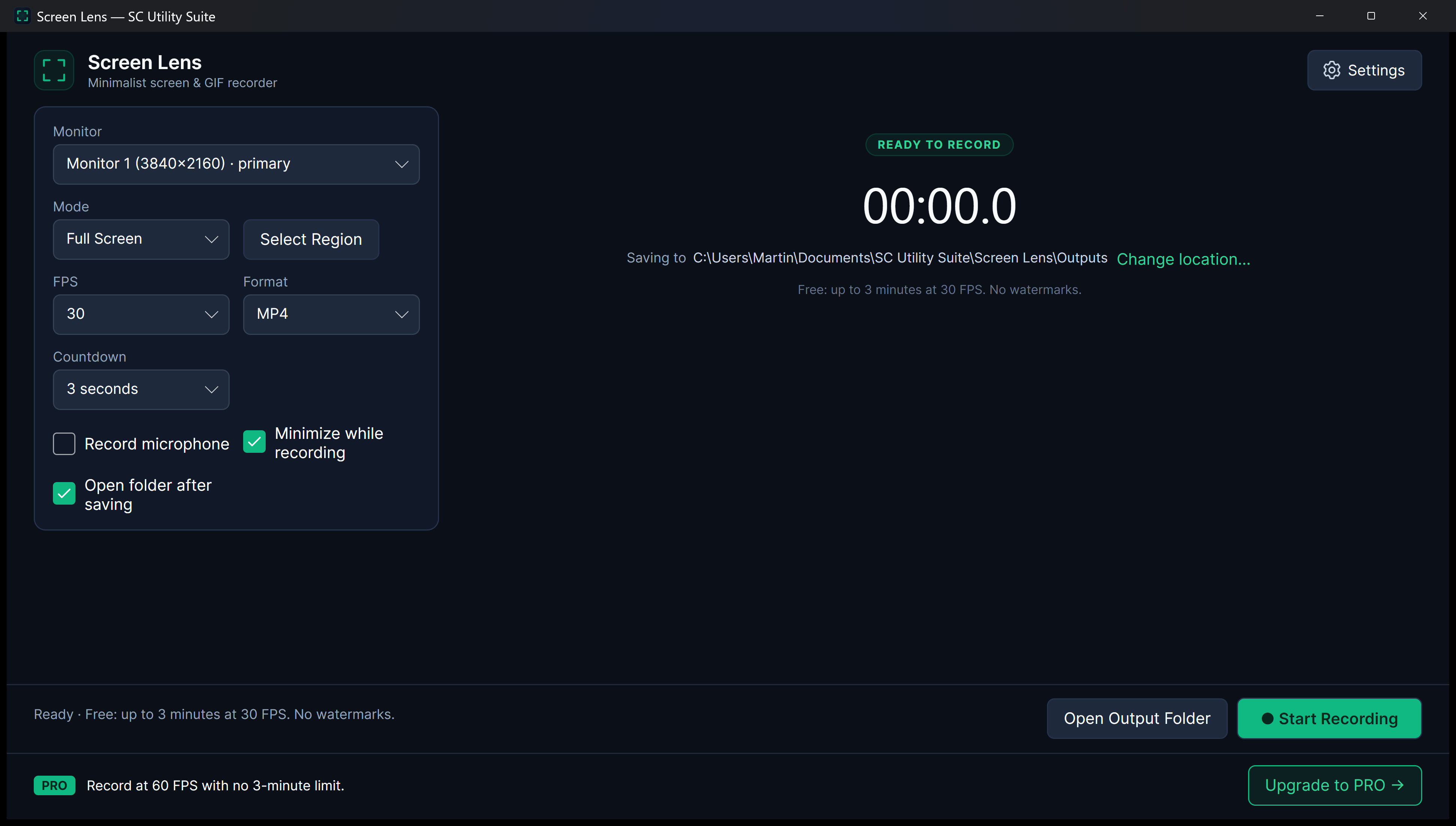
Screen Lens

Show your screen. Tell your story. Capture full displays, specific monitors or custom drag-selected regions as crisp MP4 videos or animated GIFs with optional microphone audio and Wayland support.

Region & Multi-MonitorMP4 & Animated GIFWayland & PipeWire
Free ForeverWatermark-free recordings up to 3 minutes.
One-Time PROUnlimited recording length and smooth 60 FPS capture.
Live 1.1.2 App Preview Screen Lens interface on desktop

Drives & ISOs

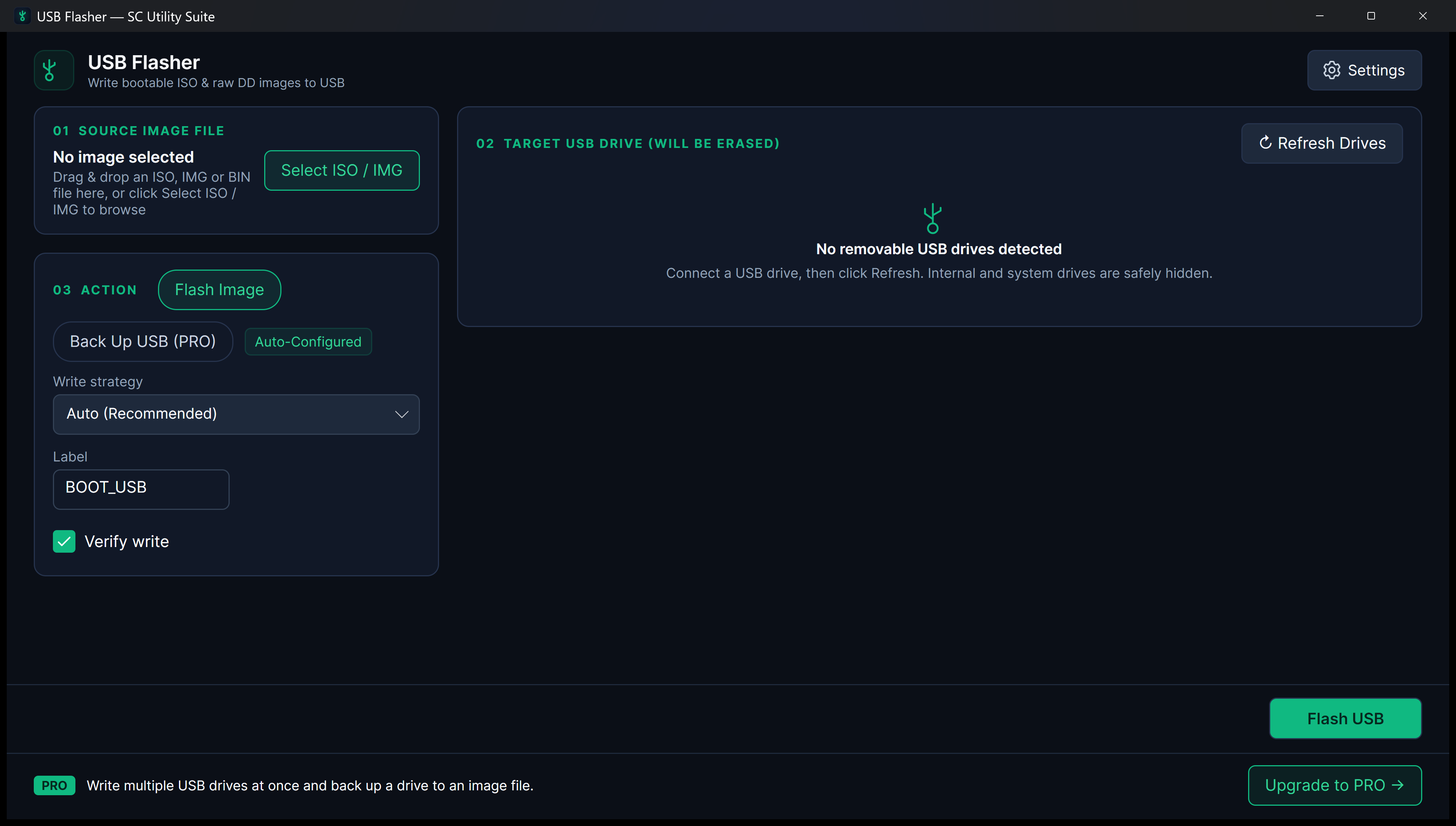
USB Flasher

Your next bootable USB starts here. Write Linux/Windows ISOs and raw IMG files to removable USB drives with post-write verification and strict hardware locks that hide internal system disks.

Removable-Only SafetyPost-Write VerifyISO · IMG · BIN
Free ForeverFlash one removable USB drive at a time with verification.
One-Time PROSimultaneous multi-drive flashing and USB-to-IMG backup.
Live 1.1.2 App Preview USB Flasher interface on desktop

PREFER THE WHOLE TOOLBOX?

All seven apps. One download.

Get the free editions together in one Windows installer, or choose the portable ZIP if you prefer. Each app still works independently.

This is a download bundle. Pro upgrades are purchased separately for each app.

Get all seven freeDownload portable ZIP

Windows x64 · v1.1.2 · Setup 500.4 MB

A FEW THINGS TO KNOW

Simple tools. Clear answers.

Are these free trials?

No. Each app has a permanent free edition. Some actions have limits, such as five photos per conversion batch or three minutes per recording. You can keep using the free features without paying.

Do I need to install the whole suite?

No. Choose any app on its own, or use the bundle to download all seven together. You do not need an account for free file-processing features.

Are my files uploaded anywhere?

No. File processing happens on your PC. Pro purchases and activation contact Microsoft Store or Gumroad; standalone activation initially needs an internet connection. The desktop apps do not run background analytics. This website uses GoatCounter for page views and download/Store-link click counts.

Which Windows versions are supported?

64-bit Windows 10, version 2004 (build 19041) or later, and Windows 11. Standalone downloads include the .NET runtime; Media Trim and Screen Lens also include FFmpeg.

Where can I get help?

For questions or a problem with an app, email sc-developer@outlook.com. Include the app name, what you were doing and any error message. Please avoid sending private files.

21 PUBLIC VIDEO GUIDES

Watch every app in action

Click any app below to watch its Official Trailer, 60-second Short, or How-To Walkthrough.

YOUR PREFERRED WAY TO INSTALL

Downloads & release details

Individual installers and portable ZIPs.
Release v1.1.2 for Windows x64 and Linux x64 (.deb for Ubuntu/Debian, .tar.gz for any distro).

All seven apps are available in Microsoft Store. Prefer a standalone installer or portable ZIP? Choose your download below.

Standalone installers, portable downloads and submitted Winget package identifiers
ApplicationWindows installerPortableLinuxSetup size
All seven appsSetup .exePortable .zip—500.4 MB
Archive UnpackerSetup .exePortable .zip63.8 MB
Dup ScrubSetup .exePortable .zip63.7 MB
HEIC StudioSetup .exePortable .zip63.8 MB
Media TrimSetup .exePortable .zip96.9 MB
PDF KnifeSetup .exePortable .zip63.8 MB
Screen LensSetup .exePortable .zip96.9 MB
USB FlasherSetup .exePortable .zip63.8 MB
Installation notes, Winget & known issues

Standalone installers are currently unsigned. Windows may display a security warning; a matching download checksum confirms file integrity, not a trusted publisher signature. Microsoft Store installation is a separate distribution route.

Winget catalog submissions are pending. The proposed package identifiers below may not be installable until those submissions are accepted.

All seven appswinget install SCSoftware.UtilitySuite

Archive Unpackerwinget install SCSoftware.ArchiveUnpacker

Dup Scrubwinget install SCSoftware.DupScrub

HEIC Studiowinget install SCSoftware.HEICStudio

Media Trimwinget install SCSoftware.MediaTrim

PDF Knifewinget install SCSoftware.PDFKnife

Screen Lenswinget install SCSoftware.ScreenLens

USB Flasherwinget install SCSoftware.USBFlasher

Release v1.1.2 (Desktop) & v1.0.6 (Android): Built on a unified .NET 10 & Avalonia 12 engine for Windows (x64), Linux (x64 Snap, .deb, .tar.gz), and Android. Includes Explorer context-menu integration for Archive Unpacker, Recycle Bin safety checks for Dup Scrub, Wayland/PipeWire capture for Screen Lens, and in-place upgrades from 1.0.x.

The corresponding-source archives and build scripts for the bundled FFmpeg engine are delivered at FFmpeg 9.0.2-sc1 sources.

Read the release notes · Licence terms

Verify a download (SHA256 checksums)

Release v1.1.2: the Windows checksum list covers the installers and portable ZIPs, the Linux checksum list the .deb and .tar.gz packages. In PowerShell, run Get-FileHash -Algorithm SHA256 <file> (Linux: sha256sum <file>) and compare the value with the matching filename. Hashes confirm download integrity, not publisher identity.

Local by design. Your files are processed on your PC. Purchase checks use the relevant provider. Dup Scrub sends selected unwanted copies to the Windows Recycle Bin; USB image writing erases the chosen drive.

Security information

App preview

App preview. Appearance may vary by version and Windows settings.

Download for Linux

Choose your preferred Linux format (x64):

App Video